Mobile rank tracker · device-true SERPs
Mobile rank tracker: the phone’s SERP, tracked — from a real iOS app.
“Mobile rank tracking” means two things, and PingSerp ships both. Every keyword can be tracked against the results page Google serves to phones — a device parameter, not a resized desktop view. And the tracker itself is a native iOS app, so the readings arrive on the device whose SERP you’re watching.

Device parameter on every keyword · iOS + iPad app on the App Store · 3 free checks a day, no signup
Mobile vs desktop rank tracking
Mobile and desktop are two different results pages.
Google composes the phone SERP separately: the features shift, local results weigh in more often, and positions move on their own. A site at #9 on desktop can sit at #4 on mobile, or the other way round; neither number substitutes for the other.
PingSerp treats the device as part of the keyword. Pick desktop or mobile when you add one, track the same query on both, and the daily wave records each page as its own history. Free checks carry the same device switch.
A mobile rank tracker records where a website ranks in the mobile search results — the page Google serves to phones — separately from desktop rankings, which often differ for the same keyword.
| trail running shoes | desktop | #9 | ▼1 |
|---|---|---|---|
| trail running shoes | mobile | #4 | ▲2 |
| dentist near me | desktop | #12 | · |
| dentist near me | mobile | #6 | ▲1 |
same keyword · two devices · two histories
A native app, not a mobile view
The tracker is an app. Not a dashboard squeezed onto a phone.
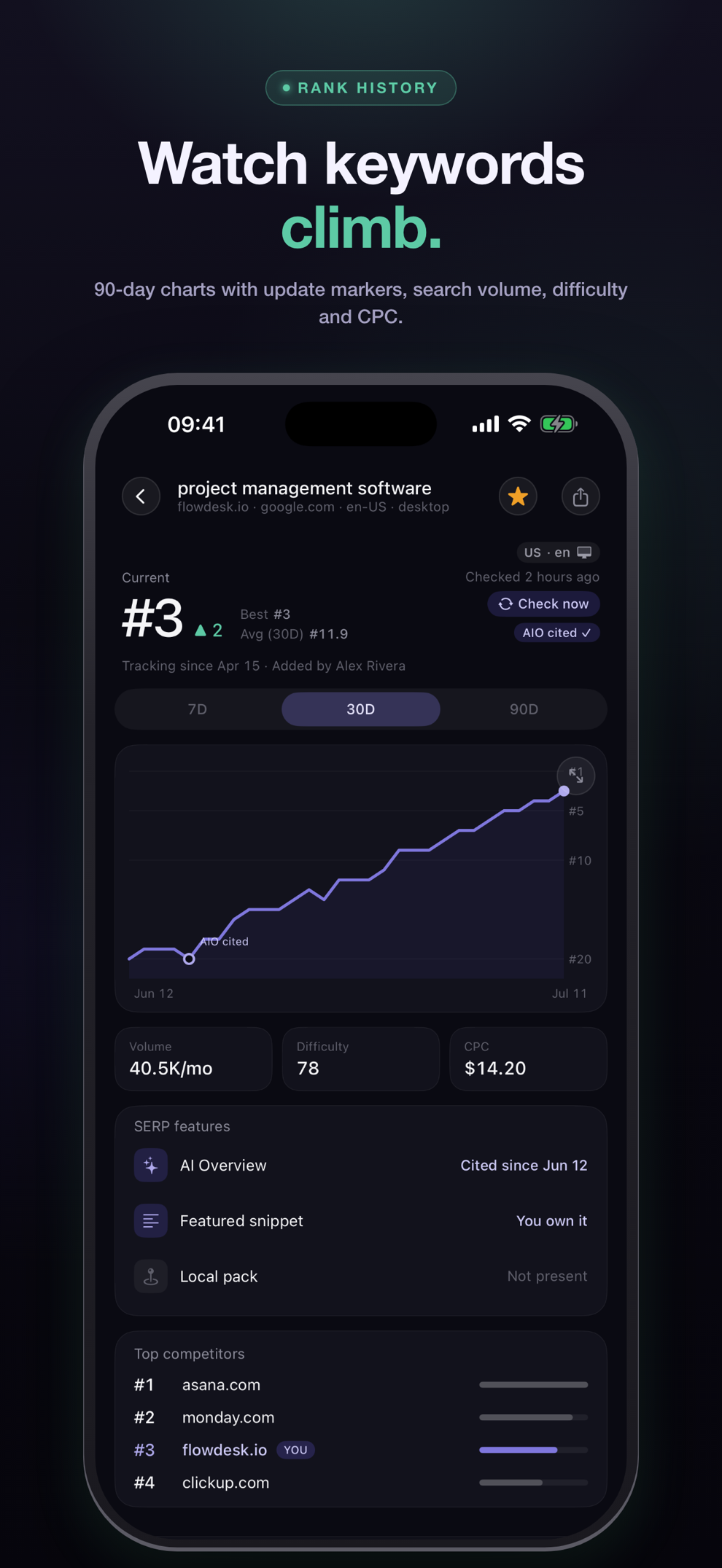
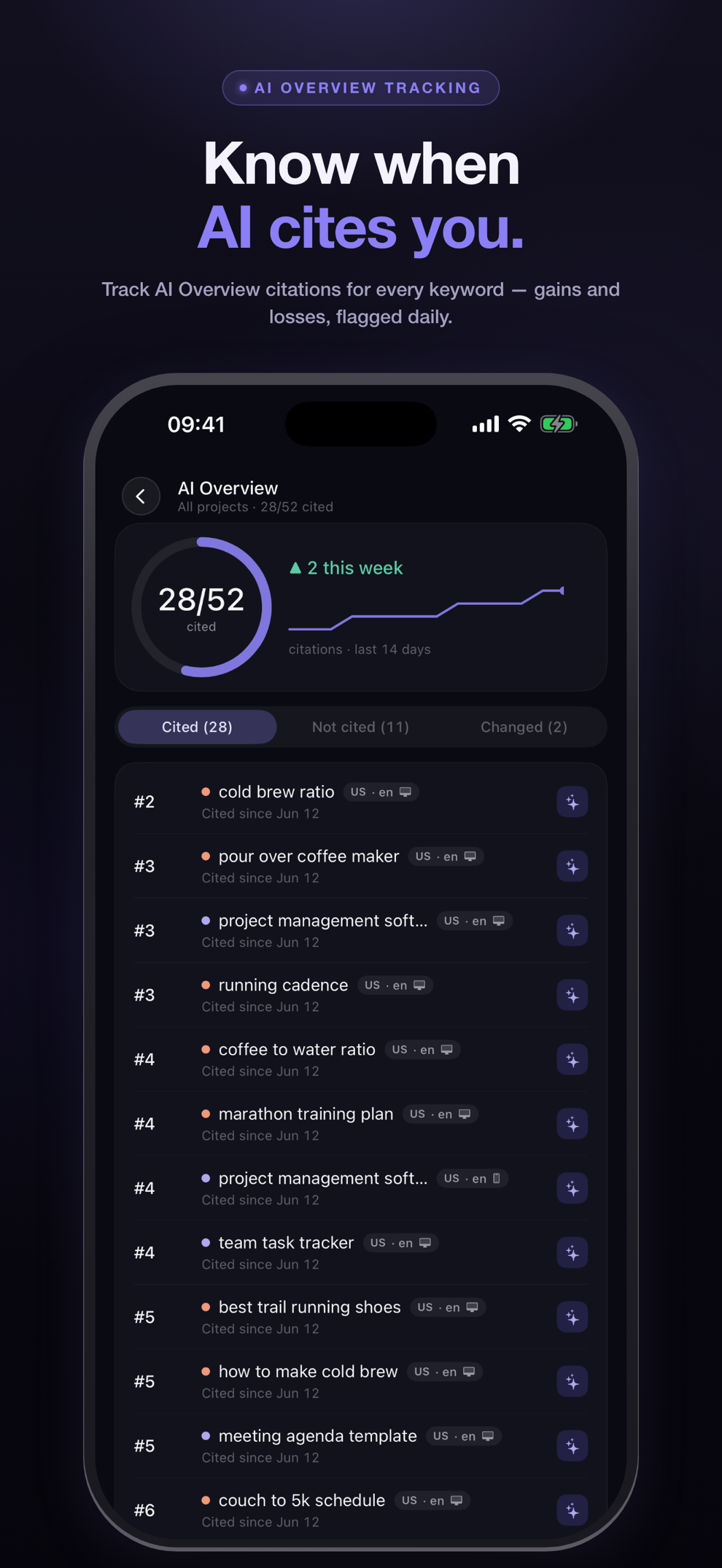
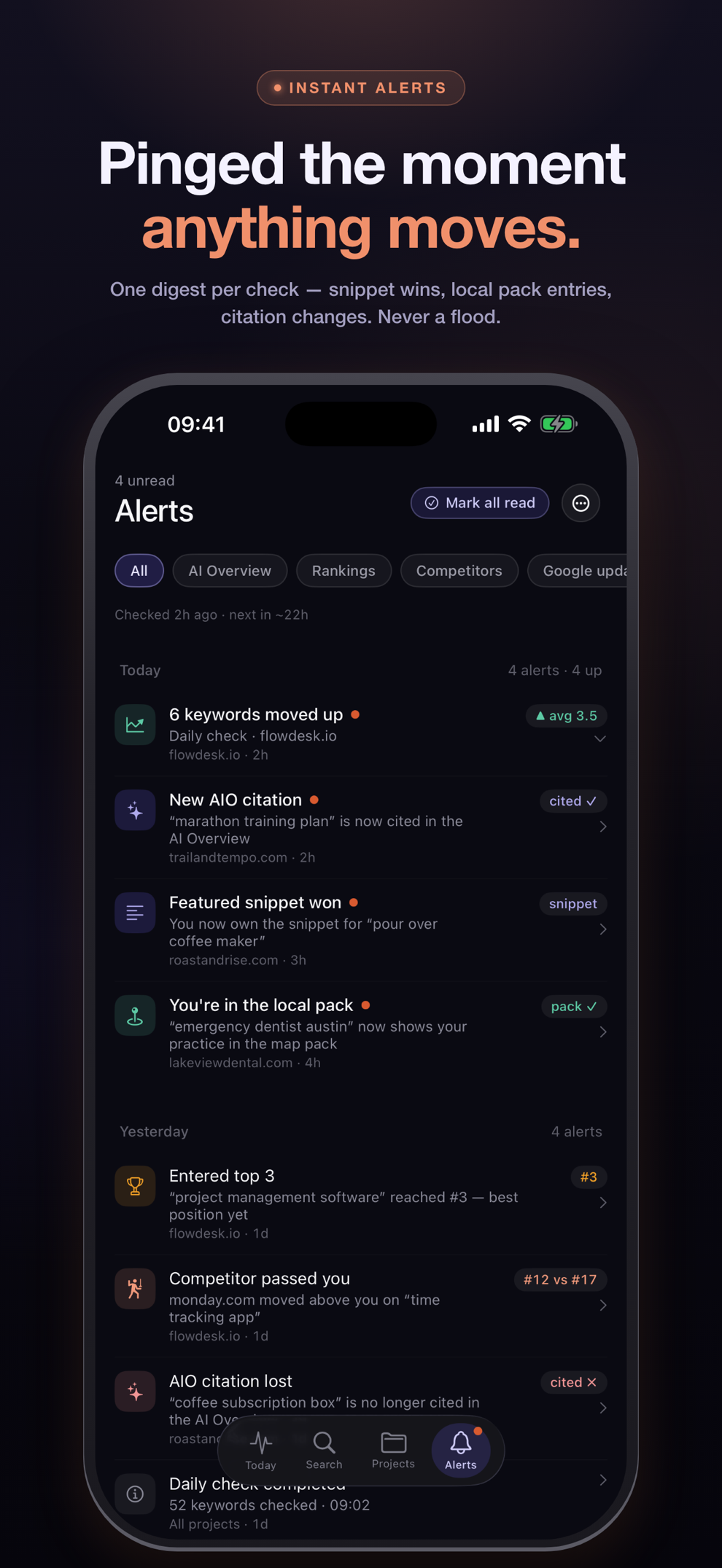
Rank trackers live in browser tabs, and rankings move while the tab is closed. PingSerp’s iOS app is native: the daily wave lands as an alert digest in your pocket, every keyword’s history opens from the home screen, and the AI Overview verdicts read the same as they do on the desk.
iPad · web app
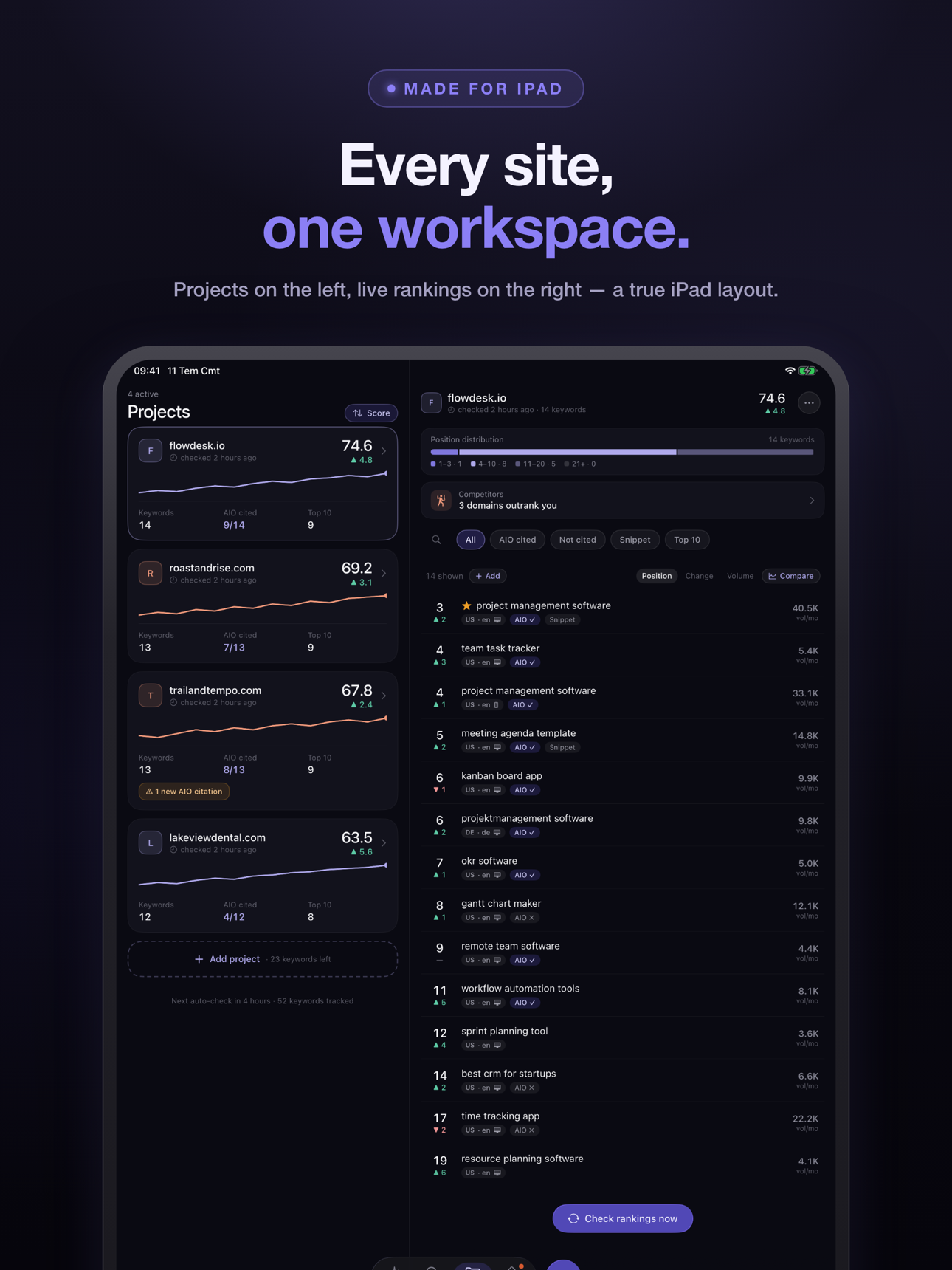
Same projects on iPad and in the browser.
The iPhone app is one face of the instrument. On iPad it becomes a two-pane workspace made for the larger screen; in the browser it’s a full, keyboard-first web app on every platform — Android and Windows included. One account, one history, whichever screen is nearest.
Checking · tracking · the gap
How to check mobile rankings
To check mobile rankings, query Google the way a phone does and read your position on that page — the mobile SERP differs from desktop, so a desktop search doesn’t answer the question. A checker with a device switch does this cleanly: it fetches the phone page itself rather than estimating from desktop data.
- Run a free check on the SERP checker — enter your domain and keyword, and set the device to mobile.
- Read the verdict: your mobile position with its context line, the sites above you on the phone page, and the AI Overview status there.
- Track the keyword on both devices — sign up and the daily wave records desktop and mobile as separate histories.
- Compare the two lines over time. A gap between them is a finding, not an error.
Why are my mobile and desktop rankings different?
Because Google builds the two pages separately: the mobile SERP has its own layout, its own mix of SERP features, and a stronger local pull, so the same keyword produces different orderings. The gap is often a few positions, and it widens on local and commercial queries — the ones where it matters most.
Quick answers
About mobile rank tracking
Is PingSerp a rank tracker app?
Yes, in the literal sense: a native iOS and iPadOS app on the App Store that tracks Google rankings daily, alongside a full web app with the same projects. Most tools in the category are web dashboards only — PingSerp ships both.
Does PingSerp track App Store rankings?
No. “Rank tracker app” sometimes means a tool that follows an app’s position in App Store or Play Store charts — PingSerp is not that. It tracks where websites rank in Google’s results; it happens to ship as an iOS app itself.
Is there a free mobile rank checker?
Yes — the free SERP checker has a device switch. Set it to mobile and the check runs against the phone SERP: your position, the sites above you, and the AI Overview status. Three free checks a day, no signup.
Is there an Android app?
Not a native one today. On Android, PingSerp runs as the full web app in the browser — the same projects, alerts and history as everywhere else. The native apps are iOS and iPadOS.
How much does mobile rank tracking cost?
The device parameter is part of every plan, not an add-on: plans start at $5.99/month for 25 keywords tracked daily, desktop or mobile in any mix, and every plan starts with a 7-day free trial. The full table is on the pricing page.
Track the phone page
Your mobile rank is a different number. Start recording it.
Run one free check with the device set to mobile: position, the sites above you, AI Overview status. Sign up and that check becomes day 1 of the keyword’s mobile history.