SEO rank tracker · AI Overview citations
The keyword rank tracker that also watches Google’s AI Overviews.
PingSerp records where you rank in Google every day — and whether the AI Overview above those results cites you. Position, movement, citations: one instrument panel, on your phone and in your browser.

Free checker: 3 checks a day, no signup · Plans from $5.99/month, 7-day free trial · iOS + web app
Daily rank tracking
Every keyword, checked every day.
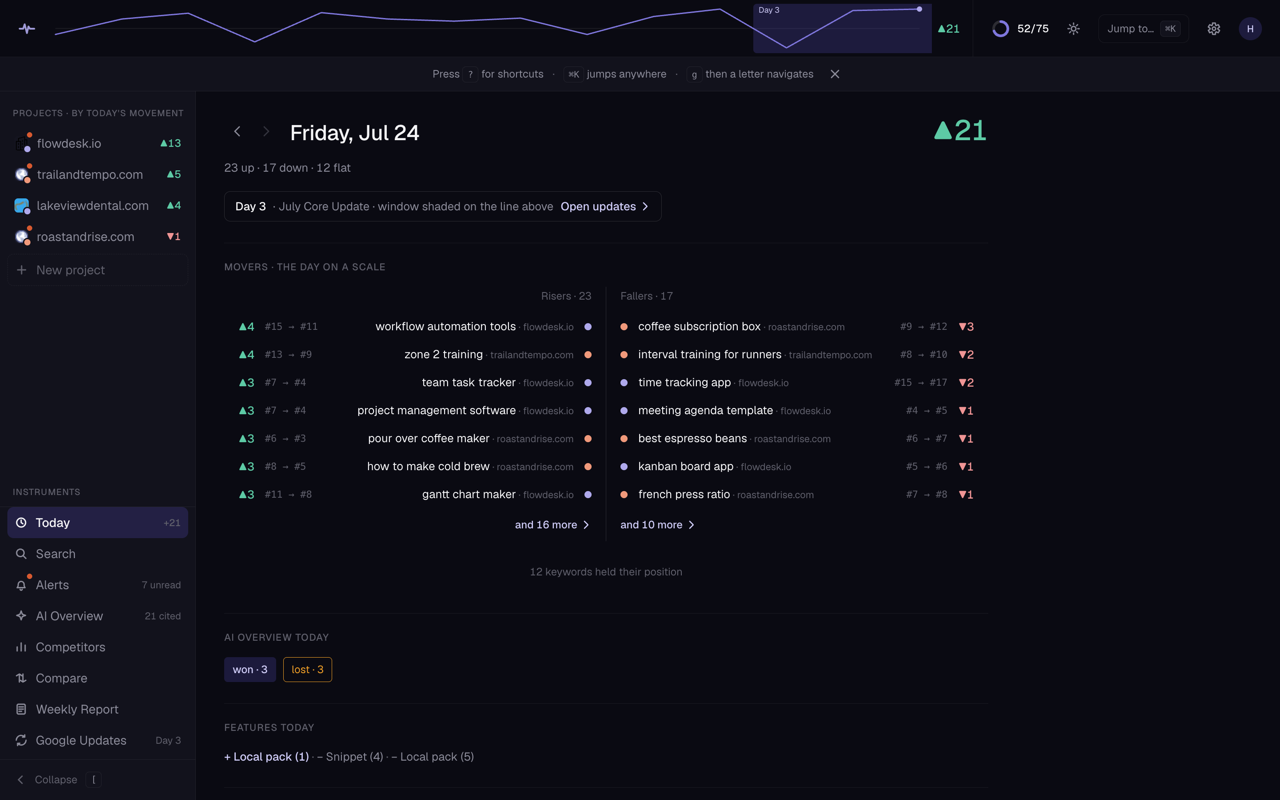
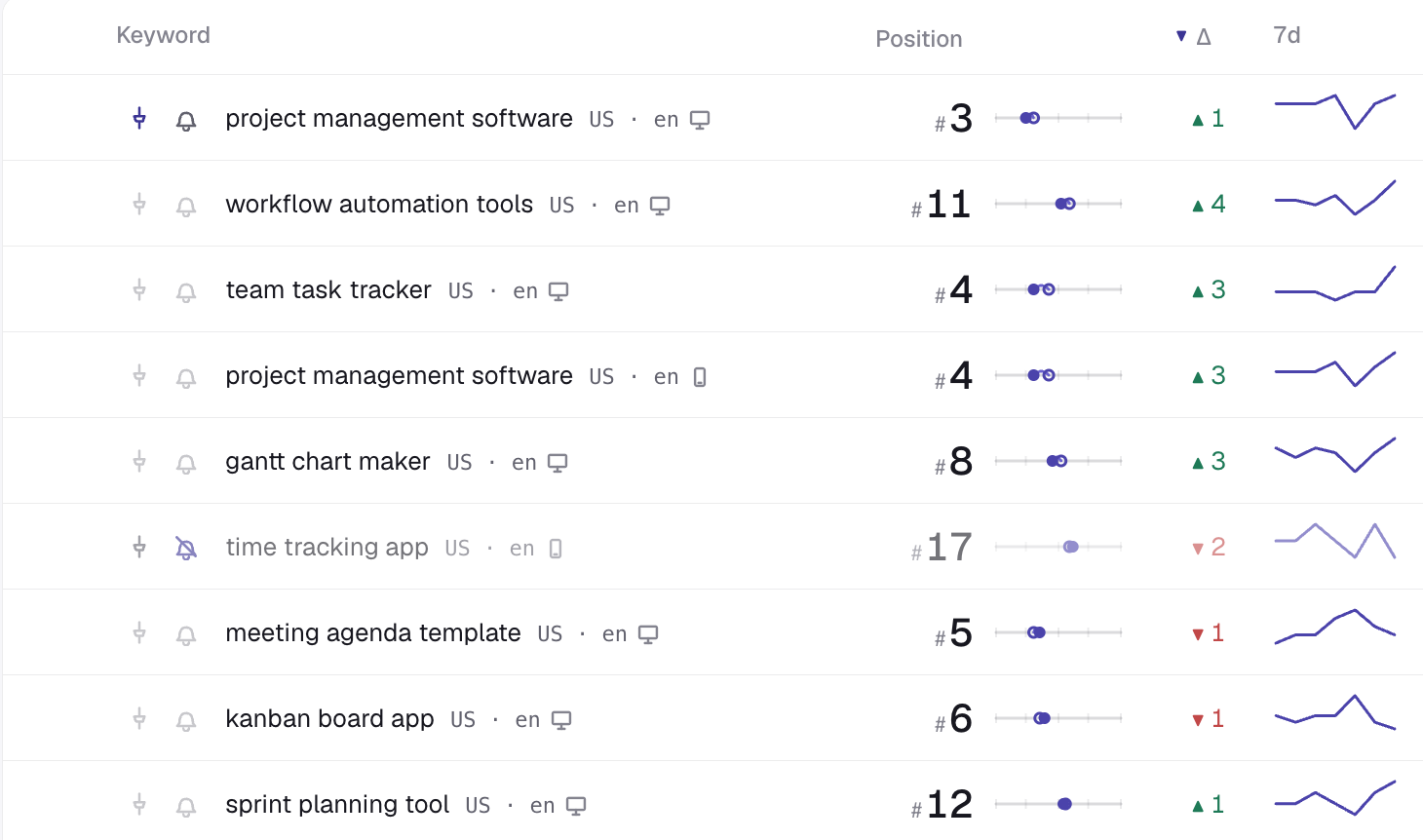
PingSerp runs an automatic daily wave across every keyword in your project: every position recorded, every delta computed, no button to remember. Need an answer right now? Run an on-demand check and the result lands in the same history.
A rank tracker is a tool that records where a website ranks in a search engine’s results for chosen keywords, checking on a schedule so movement becomes visible over time.
| serp checker | #7 | ▲2 |
|---|---|---|
| rank tracker tool | #12 | · |
| daily rank tracking | #3 | ▲1 |
| local seo audit | #21 | ▼1 |
AI Overview tracking
Rank #1 is only half the answer now.
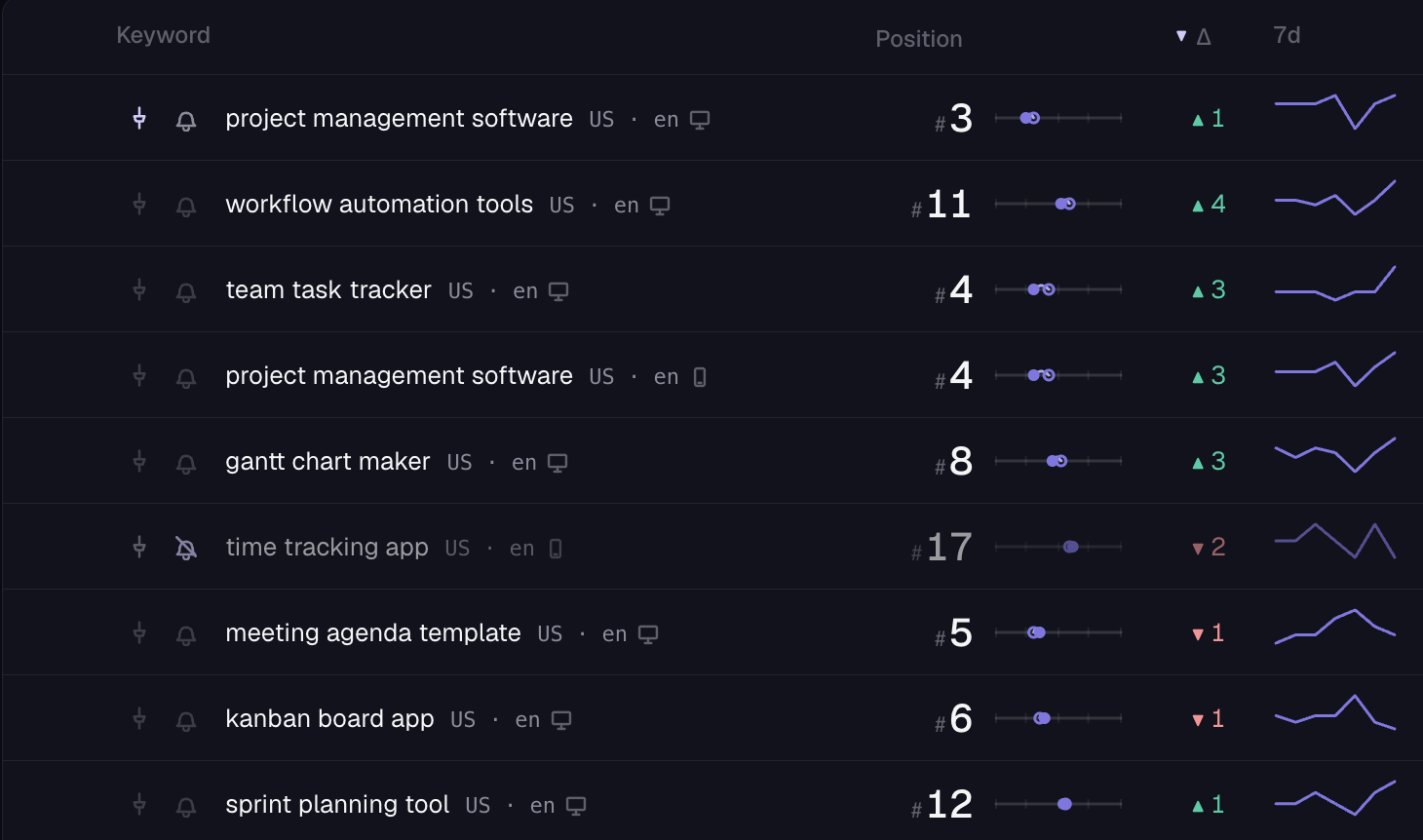
When Google shows an AI Overview, it answers before the results do, and it cites only a handful of sources. For every tracked keyword, PingSerp records one of three states: the AI Overview cites you, it exists but doesn’t cite you, or there’s no AI Overview at all.
It also lists the citation sources — which sites Google is quoting for that query, and whether one of them is yours.
An AI Overview is the AI-generated answer Google shows above traditional search results, built from and citing a small set of source pages.
✓ Cited — 1 of 6.
The AI Overview for this keyword cites your page. The other five sources are listed next to it.
Not cited
“6 sites are cited. Yours isn’t.” The citation list shows exactly who got in.
No AI Overview
Google shows classic results for this query — for now. If that changes, the state changes with it.
What is an AI Overview?
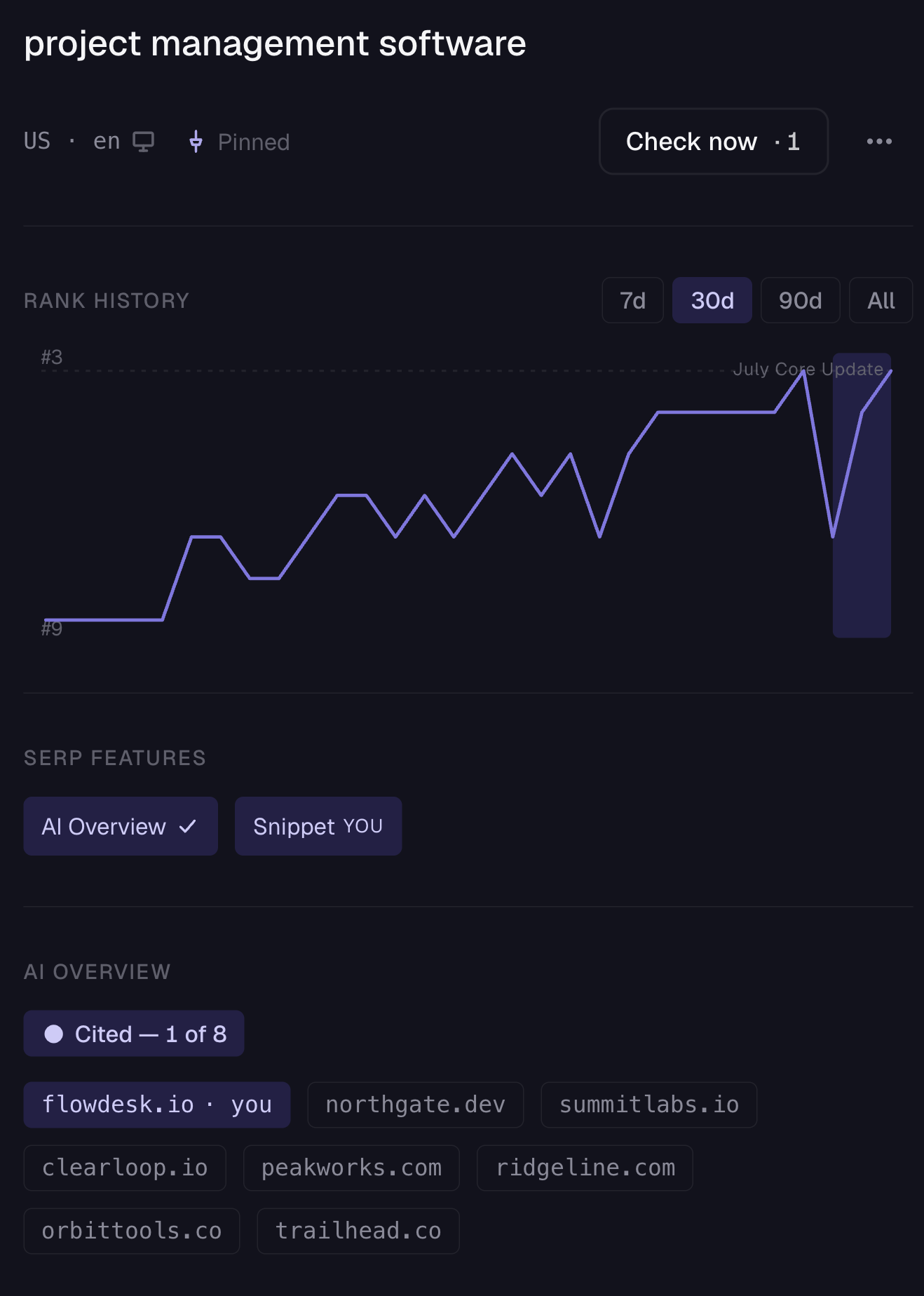
An AI Overview is the AI-generated answer Google shows above traditional search results, built from and citing a small set of source pages. It doesn’t appear on every query, and its citations change. For the keywords you track, PingSerp records whether one appeared, which sites it cited, and whether one of them is yours.
How to track AI Overviews
To track AI Overviews, check each keyword’s results page for three things: whether an AI Overview appears, which pages it cites, and whether your page is among them — then repeat daily, because both presence and citations shift. PingSerp runs all three checks automatically as part of its daily wave.
Live SERP search · SERP map
The whole SERP, not just your row.
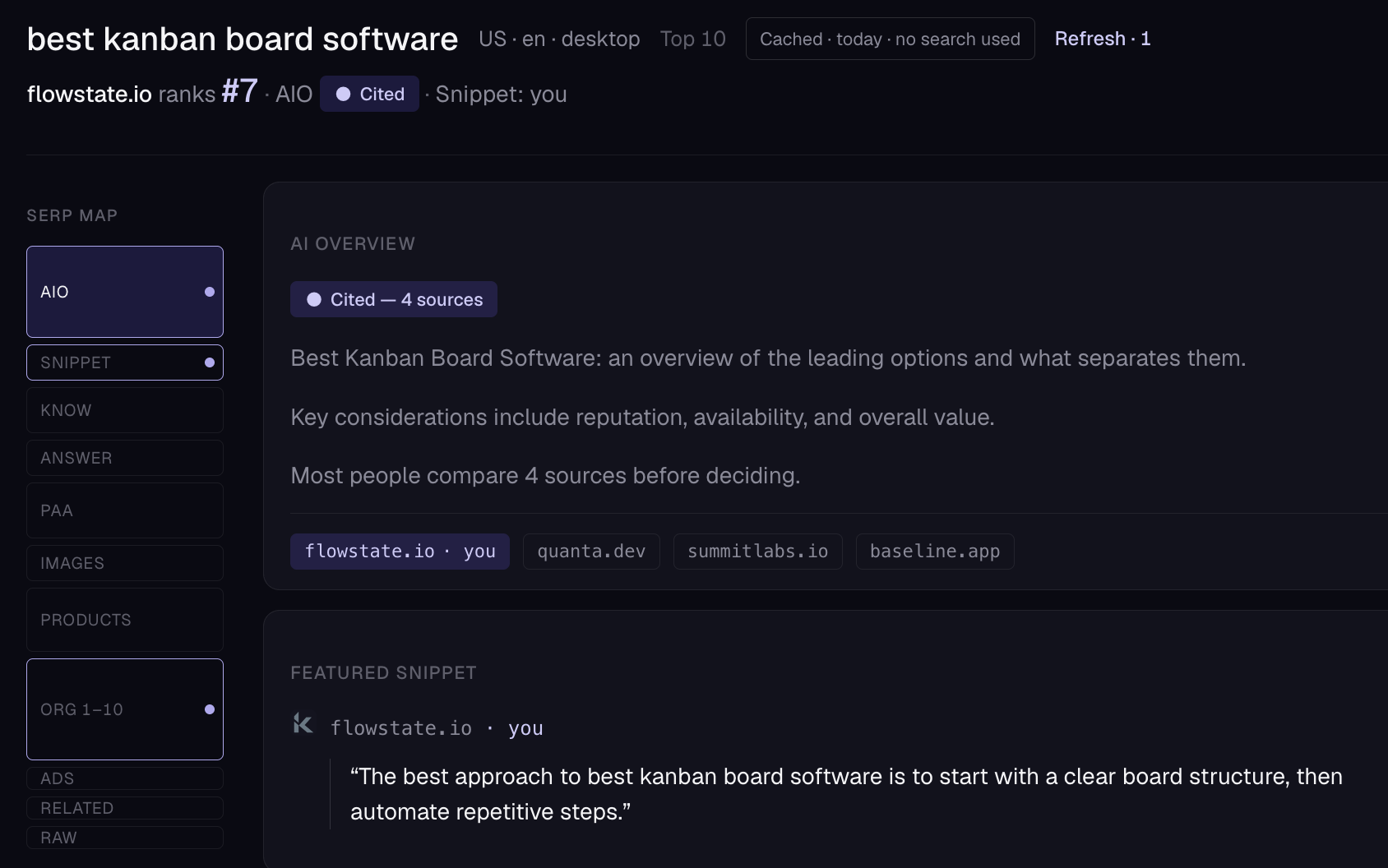
Run a live search on any keyword and read the page the way Google builds it: Top 10 or Top 100 depth, a rich card for every result type, and a SERP map that shows the layout at a glance.
Featured snippet and local pack ownership are tracked per keyword — when you win or lose the box, it’s in the history. And your competitor list isn’t typed in by hand: PingSerp derives it from who actually appears on your SERPs, so it stays current as the results change.
Mobile rank tracker · full web app
A real iOS app. A full web app. Both.
Most tools that advertise mobile rank tracking mean simulated mobile SERPs — phone results checked from a desktop dashboard. PingSerp does that too (device selection is built in), then goes where the category doesn’t: a real iOS app on the App Store, and a full, keyboard-first web app at app.pingserp.com.
We haven’t found another rank tracker that ships both — the only rank tracker with a real iOS app and a full web app, as far as we can tell. Same projects, same history, whichever screen you’re holding.
Web app: every platform, in the browser · Mobile: iOS & iPad
iPhone
The daily wave in your pocket — rank history, AI Overview citations and the alert digest, native on iOS.
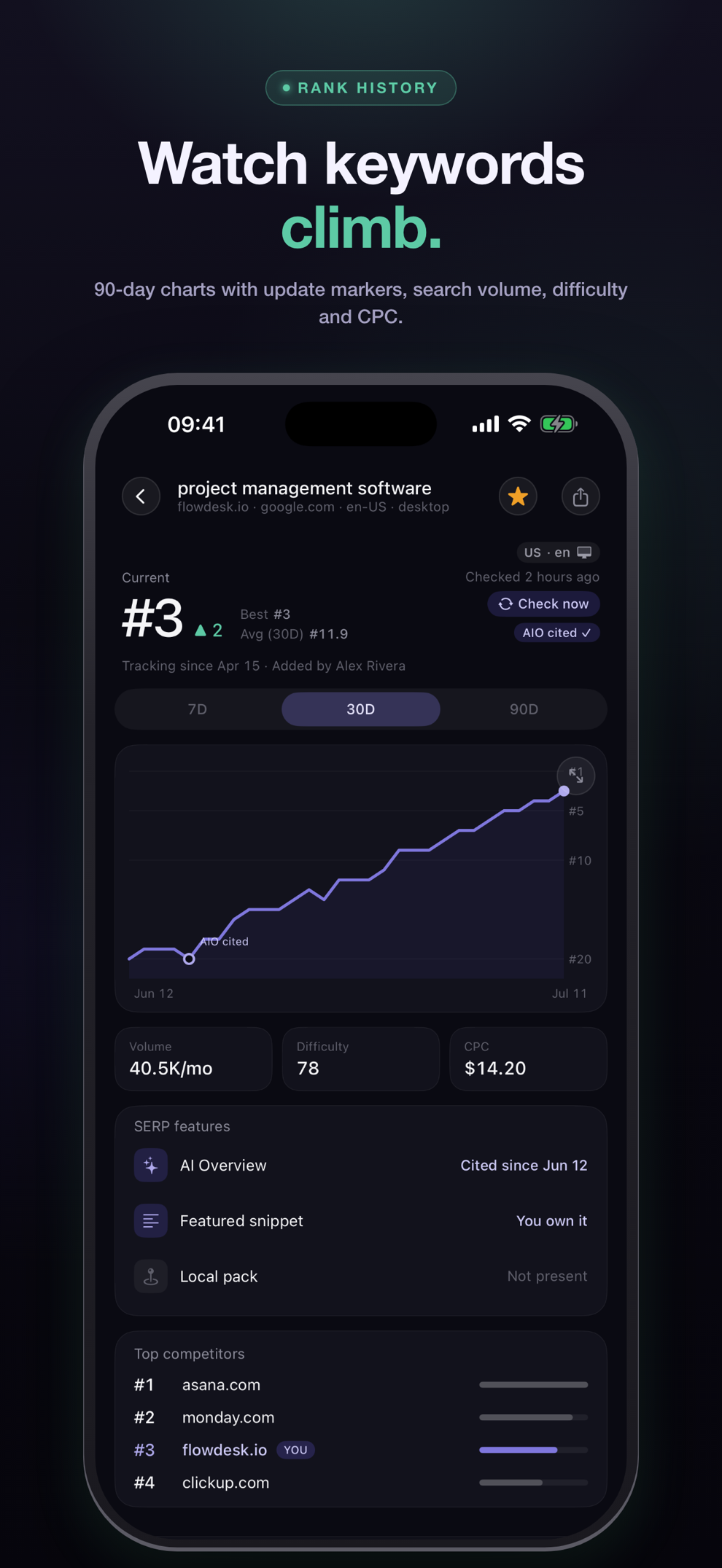
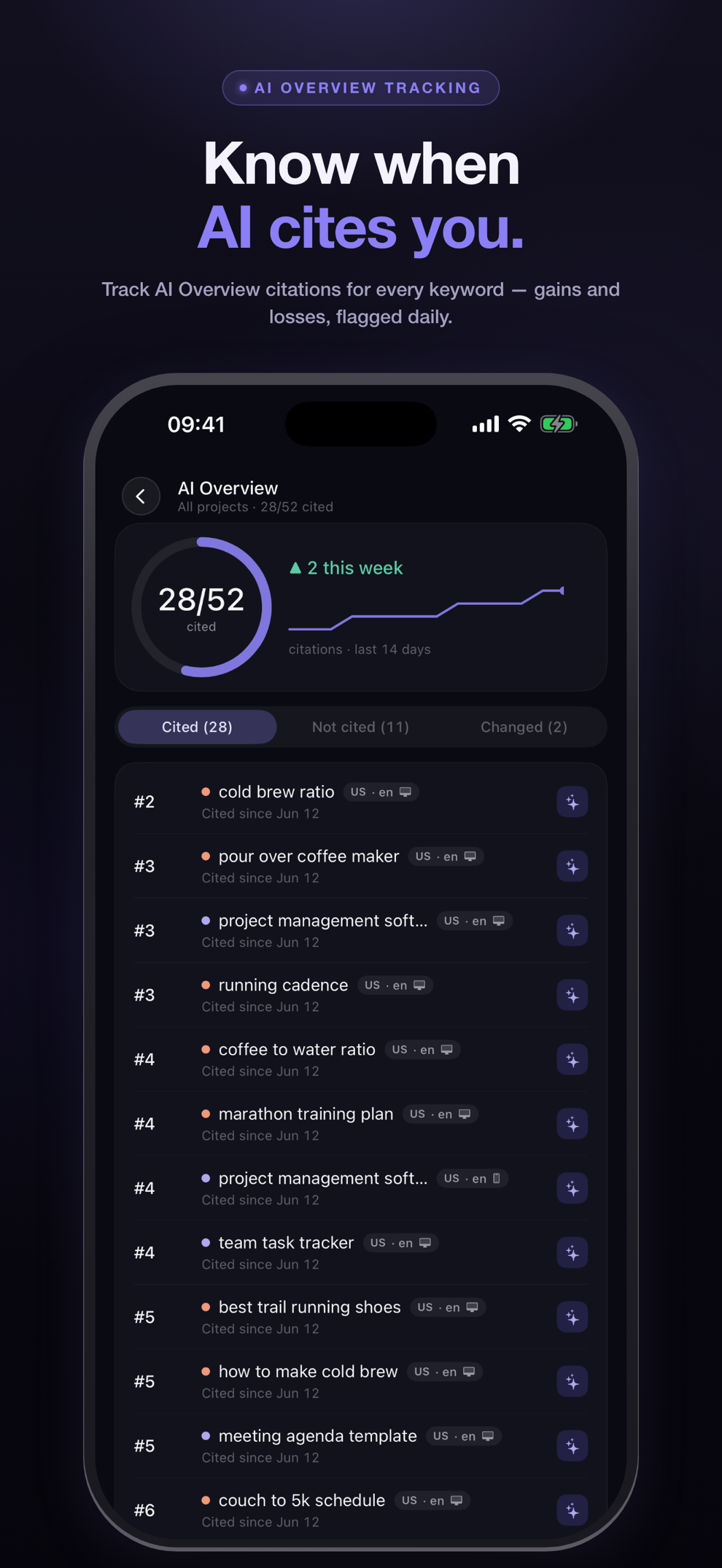
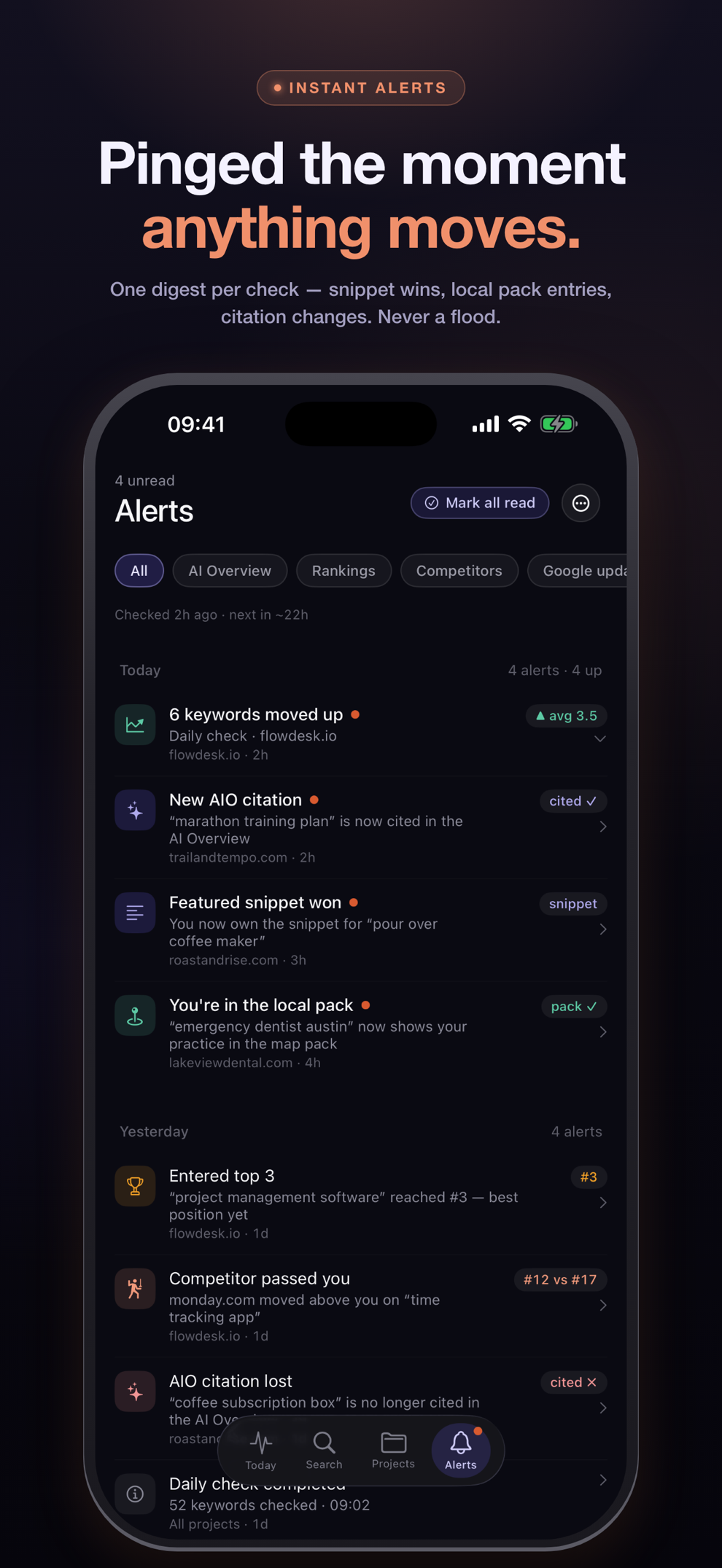
iPad
Made for iPad: projects on the left, live rankings on the right — a true two-pane layout, not a stretched phone screen.
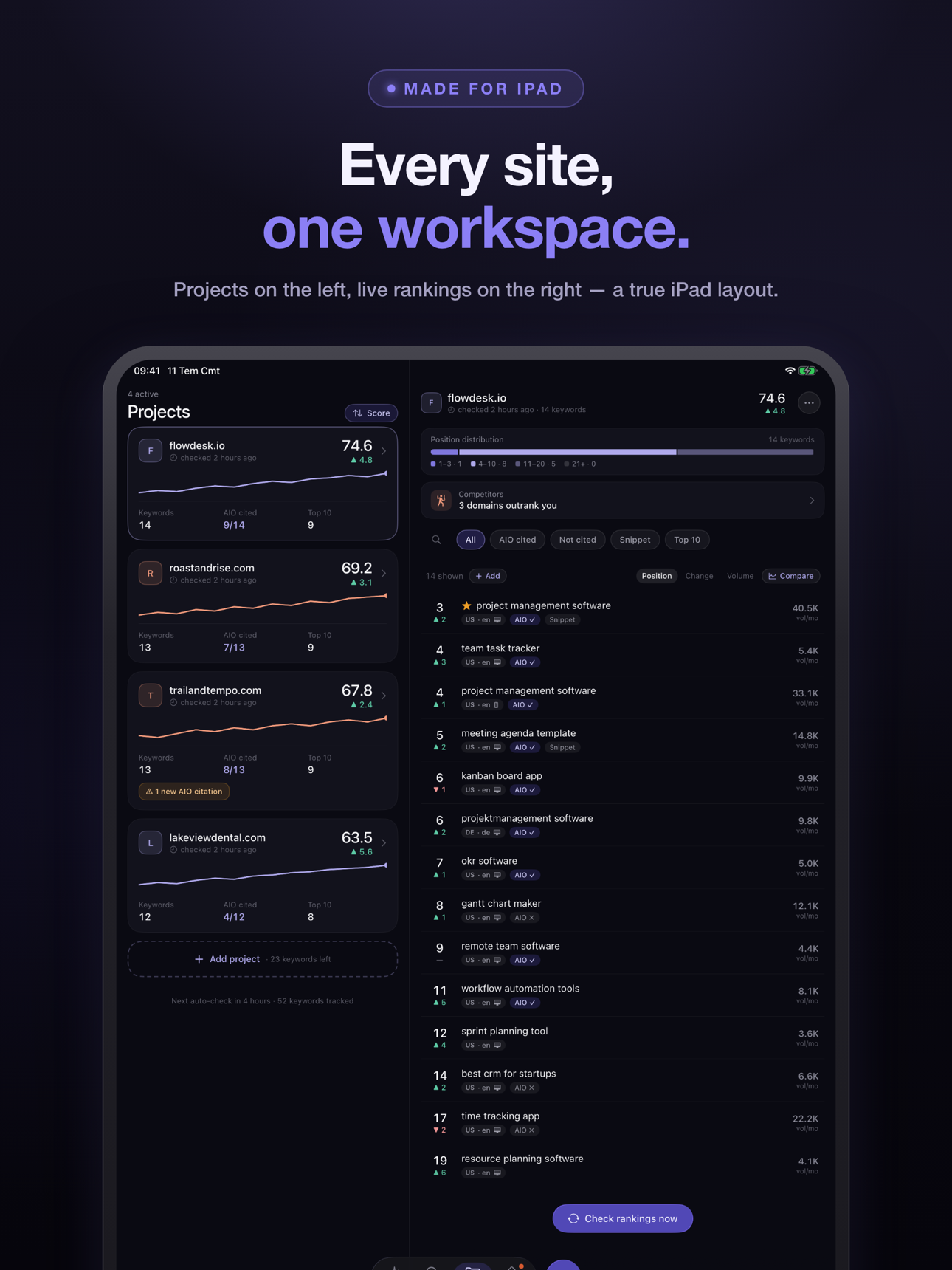
Web app
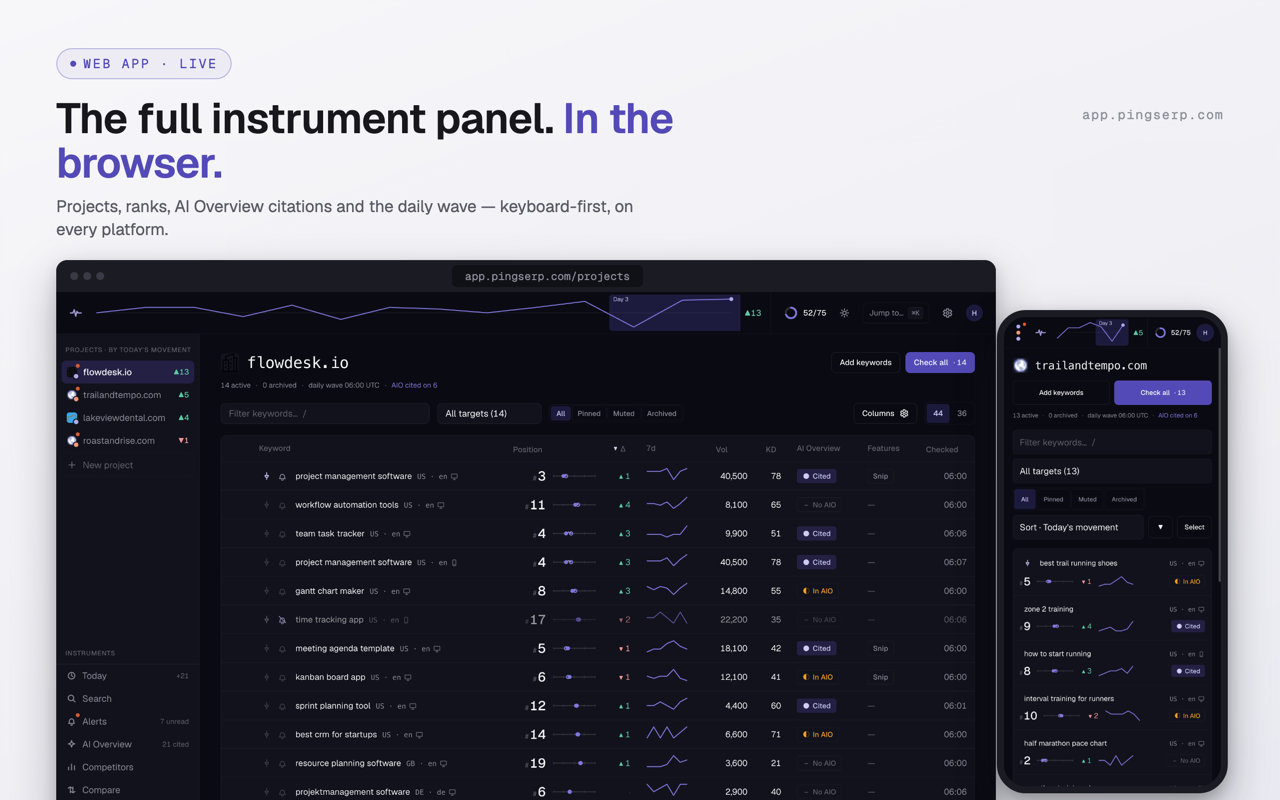
The full instrument panel in the browser — keyboard-first, ⌘K palette, two themes, on every platform. Nothing to install.
Alerts · core updates · reports
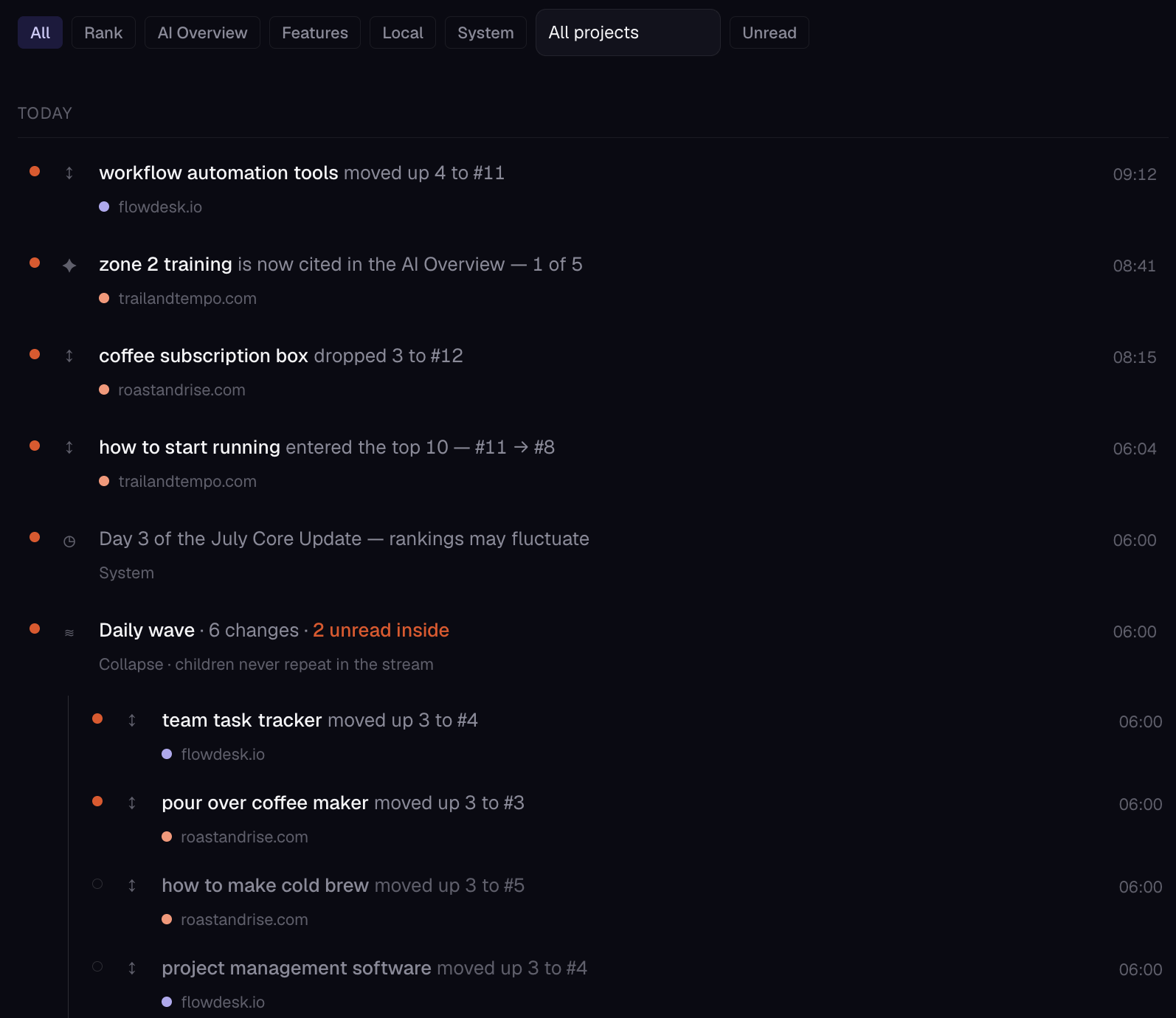
Know when it moves. Know what else moved that day.
- Alert engine10 trigger types
- Ten alert types, delivered as a wave digest — one summary after each daily wave instead of a ping per keyword.
- Core-update calendarimpact view
- Confirmed Google core-update windows, laid over your own movement, so a bad week has context before it has a panic.
- Weekly reportCSV · PDF
- The same numbers, portable: a weekly report plus CSV and PDF export for clients and archives.
Agency rank tracker · teams · platform
Built for teams that share quotas, not logins.
- Seats & invitescode-based
- Invite by code, give each person a seat. Quotas are workspace-shared: 75 keywords on Premium is 75 for the whole team, not per person. On Professional, up to 10 seats — the agency setup.
- Sign-inApple · email
- Sign in with Apple, or with plain email. Both first-class.
- Two themesdark default · light
- Dark by default — it’s a signal instrument — with a full light theme when you want it.
- Keyboard-first⌘K palette
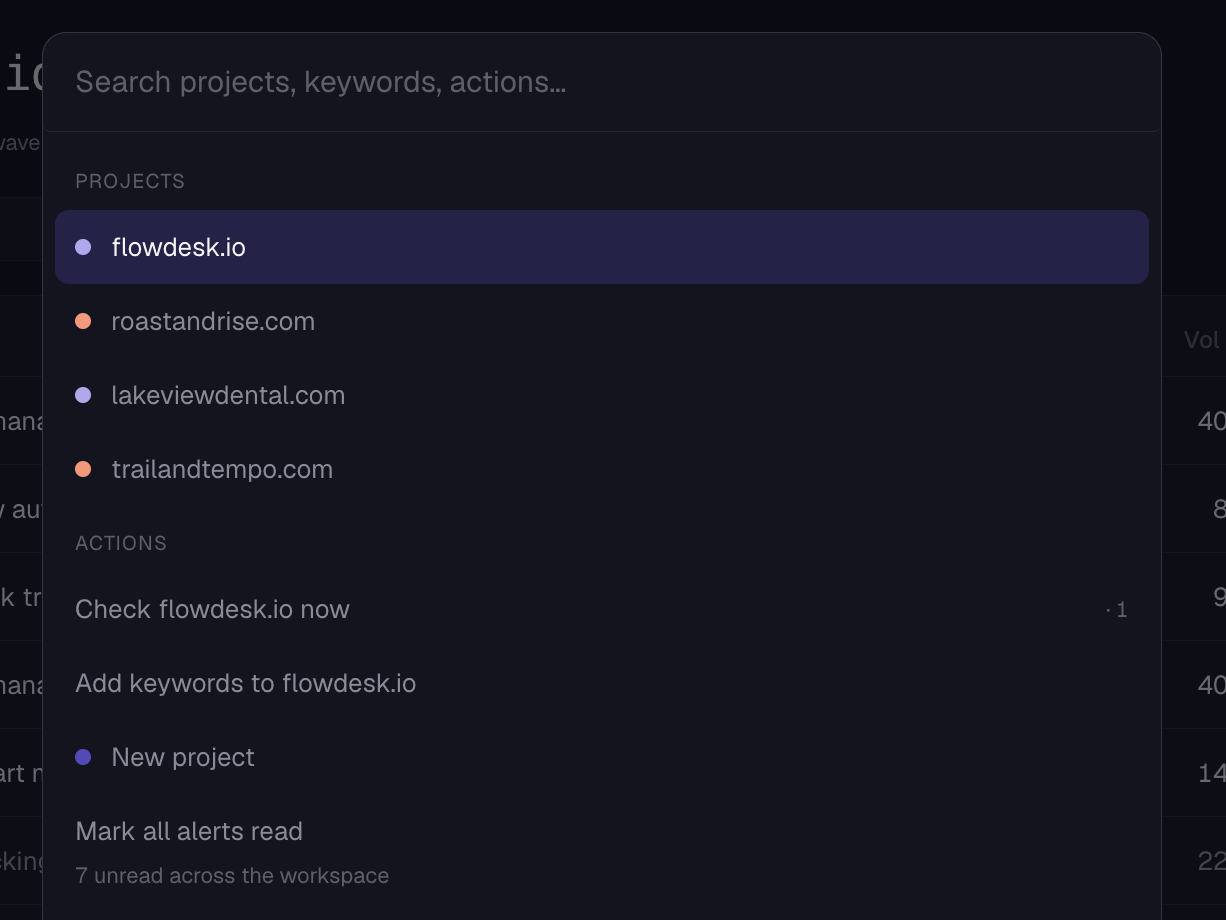
- The web app is keyboard-first: ⌘K opens the command palette, and most flows never need the mouse.
Questions
Rank tracking, in plain terms.
What is a rank tracker?
A rank tracker is a tool that records where a website ranks in a search engine’s results for chosen keywords, checking on a schedule so movement becomes visible over time. PingSerp checks every tracked keyword once a day, supports on-demand re-checks, and also records whether Google’s AI Overview cites your page.
How to use a rank tracker
Add your domain, add the keywords that matter, and let the daily checks build a history. Read deltas rather than single-day positions, and let alerts catch the real moves. In PingSerp you can start from one free check — the domain and keyword you check seed your first project when you sign up.
How to use a rank tracker for free
Use the free SERP checker: three checks a day per device, no signup, each returning your live position, the sites above you, and AI Overview status. For ongoing use, every plan starts with a 7-day free trial — cancel anytime and pay nothing.
Pricing questions — trials, downgrades, seats — are answered on the pricing page.
Start tracking
Start with the keyword you already worry about.
Run one free check: position, the sites above you, AI Overview status. If you sign up, that check becomes day 1 of your history.